In-store appointments straight from your website
On a product page the customer clicks “Try it in store”, picks a time, and you know in advance what they want to see. Works on online shops and regular websites alike – Shopify, WooCommerce, WordPress, Shoptet or your own site.
No credit card required · Free plan available
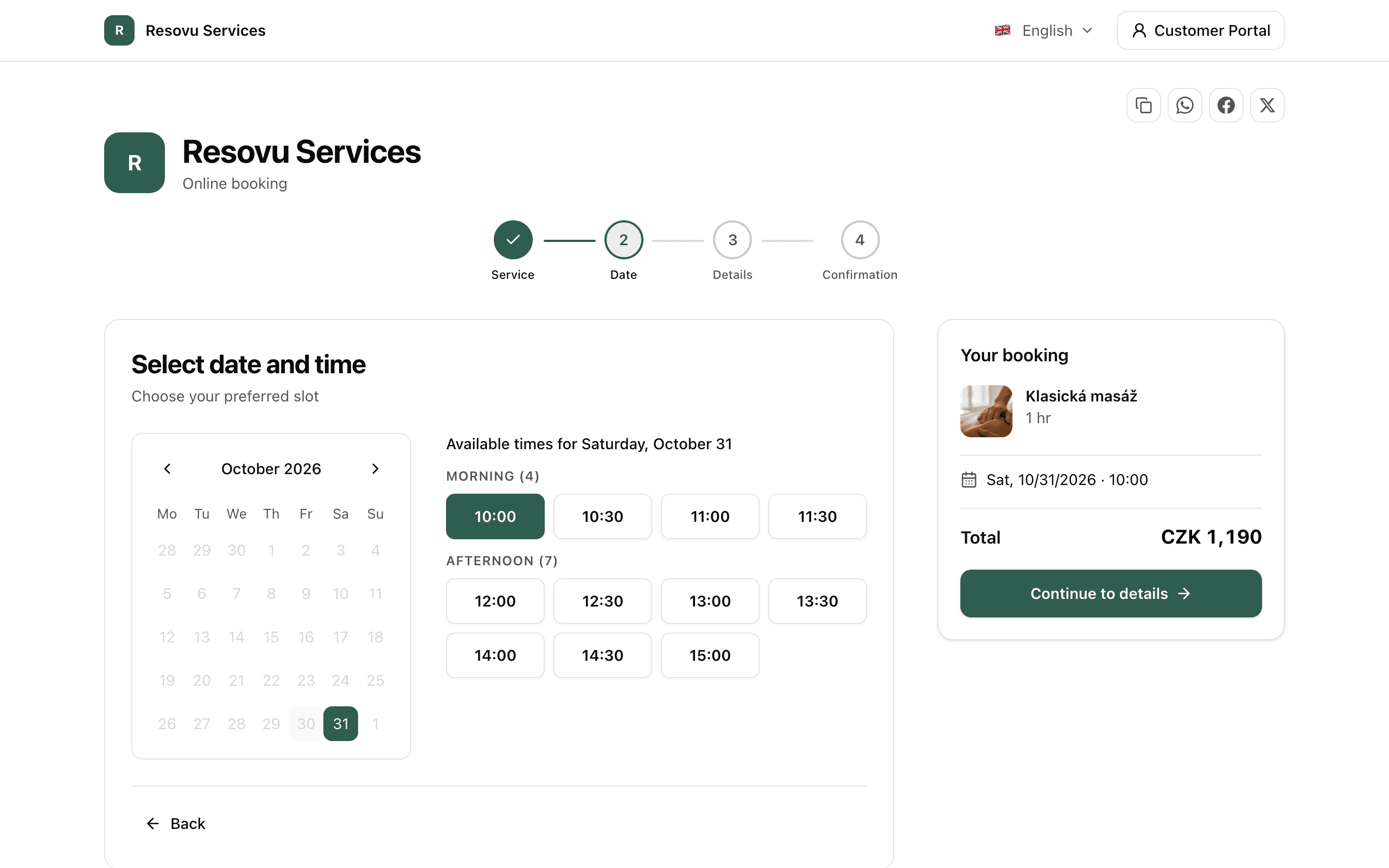
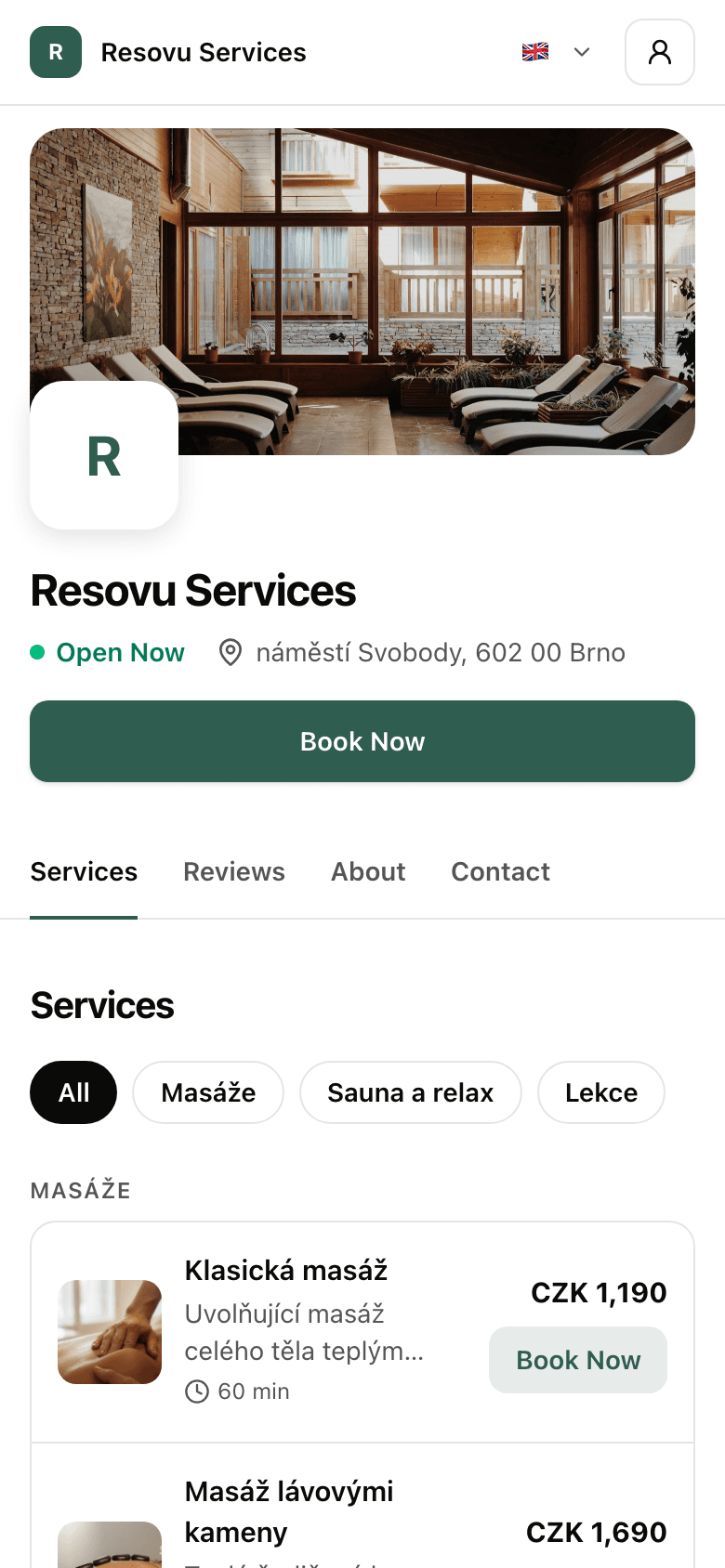
How Resovu solves it
A button by the product, booking without leaving your site
Add a discreet row by the product – in an online shop, for example below “Add to cart”. Booking opens in a window on your site and the customer stays put.
The product carries over to the booking
Resovu reads the product name and code (SKU) from your page and shows it to the customer in the booking and the confirmation. It can prefill it straight into your questionnaire.
Know in advance who is coming and why
The booking and the store’s e-mail show the product with a link to its page and the questionnaire answers. With a minimum notice of, say, 2 days, you have time to bring the item from the warehouse.
How it works
- 1
The customer clicks by the product
A “Try it in store” row by the product opens the booking right on your site.
- 2
They pick a time
Only your advisors’ free times, with the notice you set. The product is already in the form.
- 3
You know what to prepare
The booking with the product and its link arrives by e-mail and in your admin. The customer gets reminders.
Which shops it suits
Anywhere customers want to try the goods or talk them through before buying.
- Mattresses and beds
- Furniture and sofas
- Kitchens
- Bathrooms and tiles
- Opticians
- Bridal salons
- Bikes and e-bikes
- Jewellery and watches
Why the store visit still decides
of buyers who lay on a mattress in store for at least 10 minutes were very satisfied with it. Without trying, only 62%.
of shoppers prefer to buy home furnishings in store; only 28% online.
of Czechs combine shopping online and in physical stores.
Works with your website or online shop
Paste the code into your theme once. Resovu recognises the product from the page’s structured data.
- Shoptet
- Shopify
- WooCommerce
- WordPress
- Upgates
- your own site
Key features for shops and showrooms
Booking from a product or page
The customer clicks by a product, booking opens in a window on your site, and the product (name, code and link) carries over to the booking, the confirmation and your e-mail.
Embed widget
Embed the booking system directly on your website with a simple iframe code snippet. No complex setup required.
Custom form fields
Add custom fields to your booking form to collect exactly the information you need.
Staff management
Manage team members, their permissions, and assigned services. Each member has their own calendar.
Waitlist
Fully booked? Customers join the waitlist and get an e-mail with a link as soon as a spot or time frees up. Classes and events from the Professional plan.
Email notifications
Automatic emails with custom design and content
Choose your plan
Product-linked booking and the on-site window are included in every plan, Free too.
Free
For entrepreneurs and small operations getting started.
Final price – no VAT added
- 3 services
- 45 bookings per month
- 1 team member
- Email confirmations
- Online card payments
- Public business profile
Card payment fee
1 % + Stripe
Starter
For growing businesses that need more features.
Final price – no VAT added
- 10 services
- 300 bookings per month
- 3 team members
- Custom form fields
- Loyalty program
- Smart slots without gaps
Card payment fee
0.5 % + Stripe
Professional
For growing businesses with advanced needs.
Final price – no VAT added
- 25 services
- 1 000 bookings per month
- 10 team members
- Recurring bookings
- Waitlist
- Gift cards
Card payment fee
0.3 % + Stripe
Business
For larger teams that want everything in one place.
Final price – no VAT added
- Unlimited services
- Unlimited bookings
- Unlimited team members
- No-show deposits
- Remove Resovu branding
- Priority support
Card payment fee
0.2 % + Stripe
Enterprise
For large organizations with multiple locations and advanced needs.
Final price – no VAT added
- Unlimited services
- Unlimited bookings
- Unlimited team members
- Multi-location support
- API access
Card payment fee
0 % + Stripe
Frequently asked questions
Will the customer leave my website?+
How does Resovu know which product it is?+
Which platforms does it work on?+
Can I offer free consultations with advance notice only?+
Can I show the row on some products only?+
How do I see how many bookings my website brought?+
How much does it cost?+
Other industries
Ready for online bookings?
Create an account and start accepting bookings. No commitments, free plan available.